 ReceiptTruth
Now live · UK grocery deliveries
Catch missing items before the refund window closes.
Compare your receipt to what arrived — by email, paste, or photo — then scan and verify every item calmly, with a summary ready for refunds.
Works with the shops you already use.
- Tesco
- Sainsbury's
- Ocado
- Asda
- Morrisons
How it works
Three steps to the truth
From receipt to verified delivery in minutes.
Step 1 · Import
Import your receipt
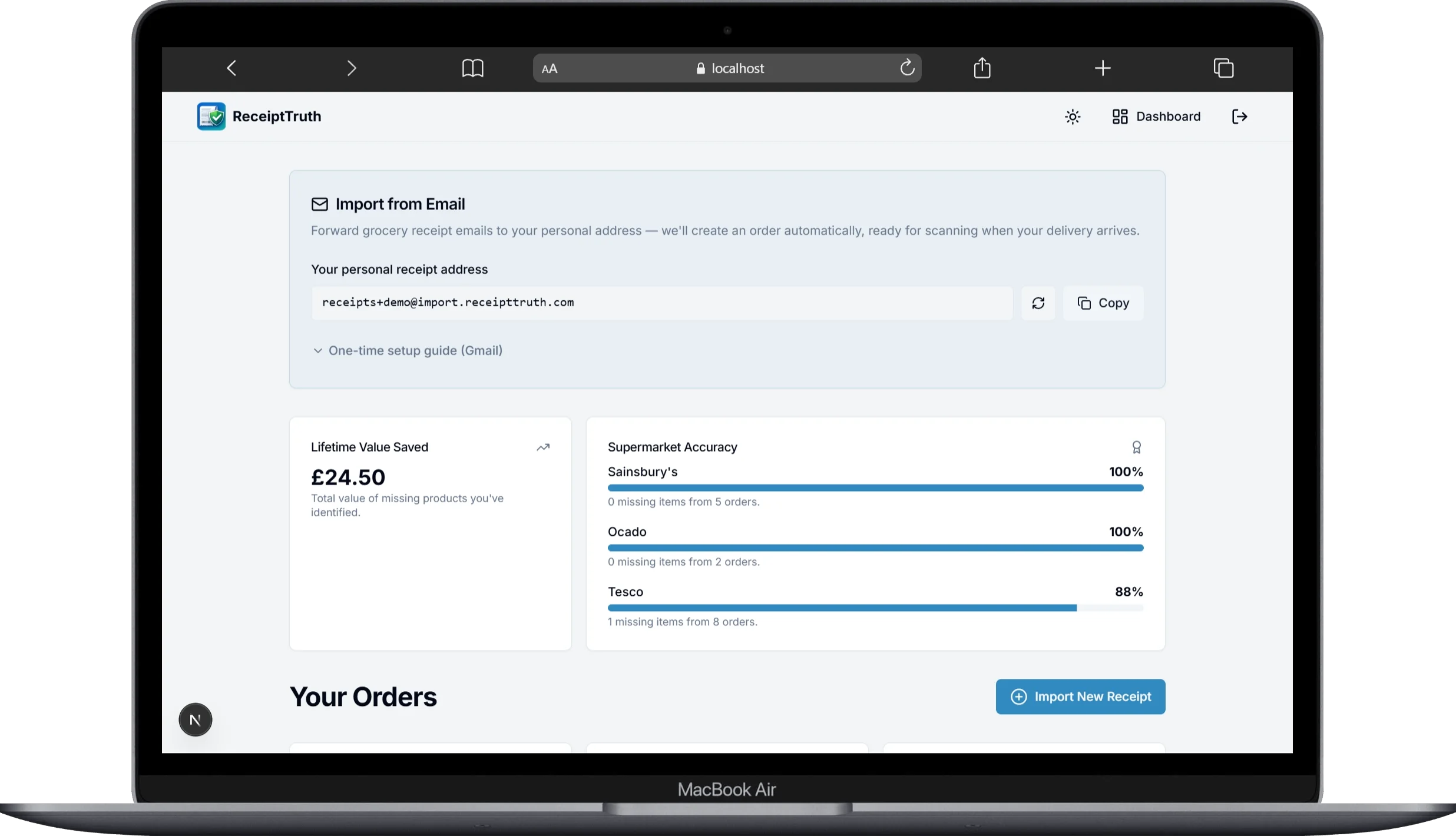
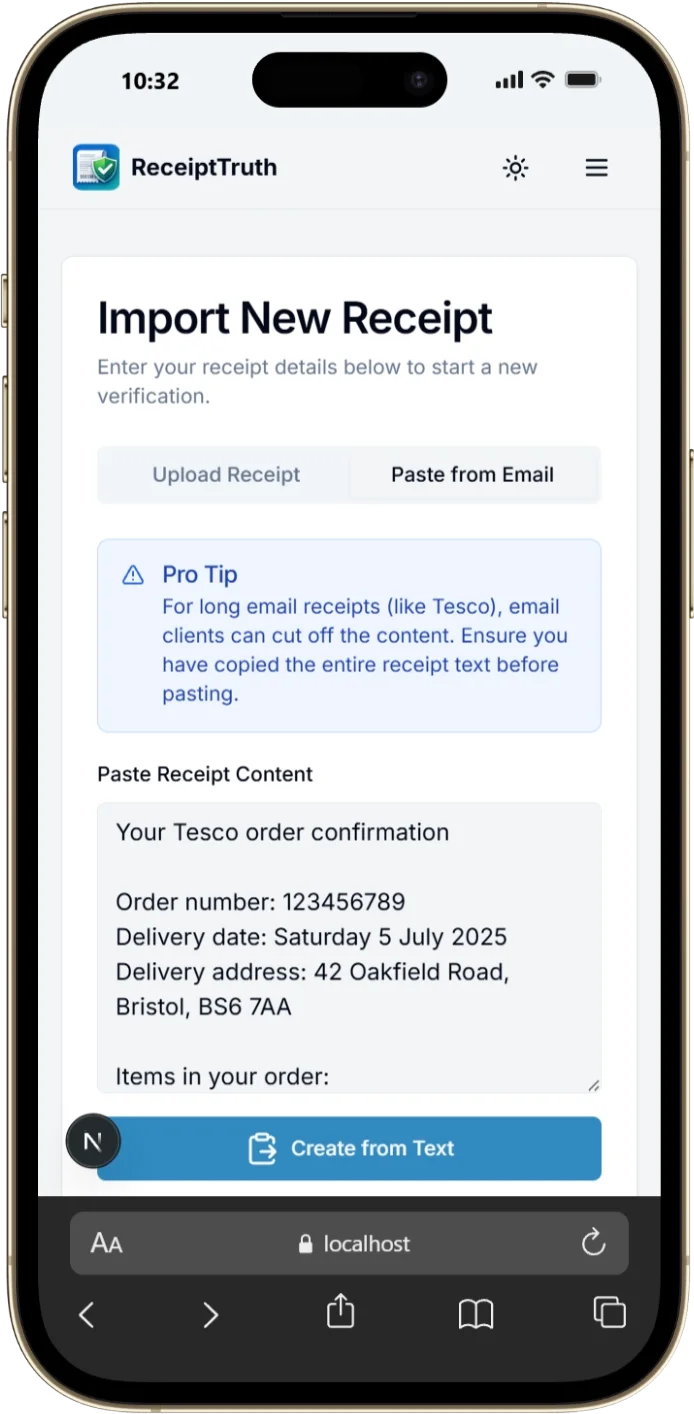
Forward your supermarket email to your personal ReceiptTruth address, paste the e-receipt text, or snap a photo of a paper receipt.
Step 2 · Scan
Scan what arrived
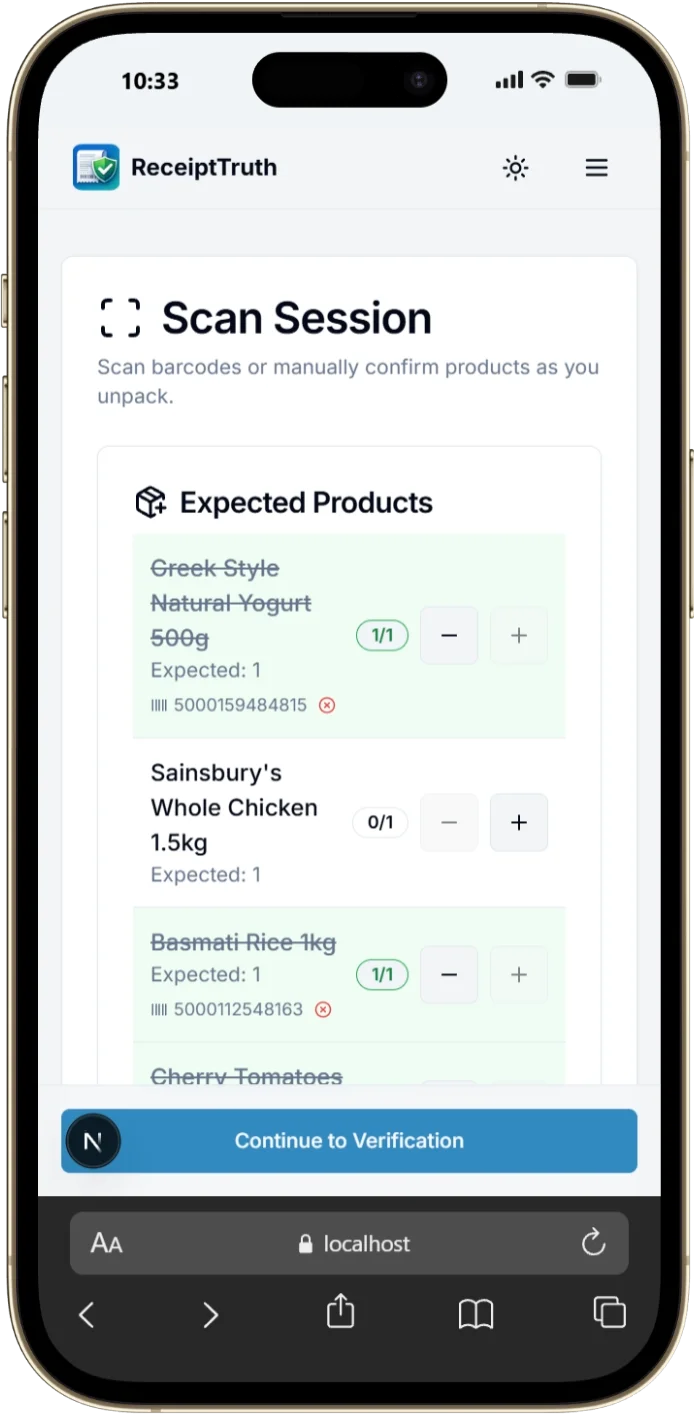
Scan barcodes as you unpack, confirm items manually, or use Find by Photo when the barcode isn't visible.
Step 3 · Summary
Get your summary
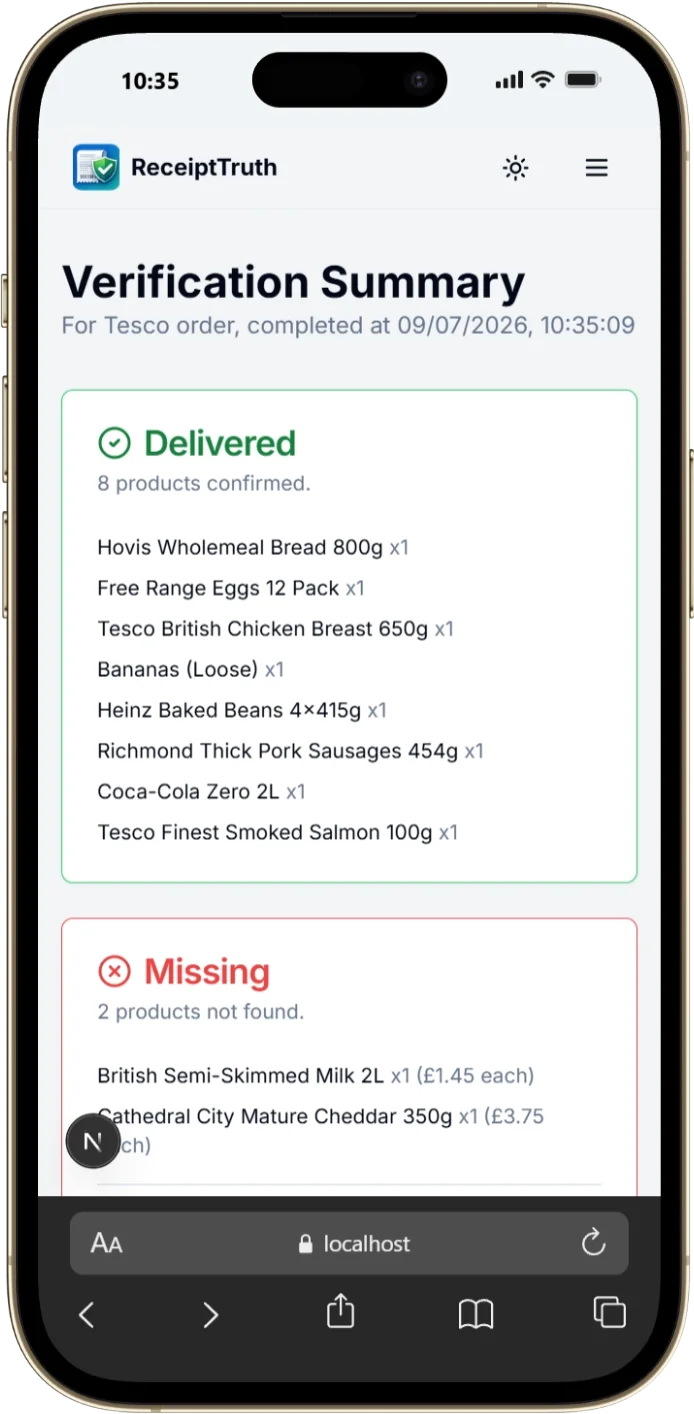
See delivered, missing, and uncertain items — with total missing value and a summary you can copy for your supermarket.
See it in action
Import a receipt, scan your delivery, and get a refund-ready summary.
Features
Built for Tesco, Sainsbury's, Ocado, Asda, and the rest of your weekly shop.
Personal email import
Forward receipt emails to your own @inbound.receipttruth.com address — orders appear automatically. One-time Gmail setup in the app.
Smart scanning
Barcode scanning, manual tick-off, and Find by Photo when packaging hides the code. Unlimited item scans within each order.
Refund-ready summaries
Delivered, missing, and uncertain items with total missing value — copy the summary straight into an email to your supermarket.
AI receipt OCR
Photograph a paper receipt and our AI turns it into a clean list of expected items.
Paste e-receipts
Copy the body of your supermarket confirmation email — AI extracts items, quantities, and prices.
Your delivery insights
Track lifetime value saved and supermarket accuracy on your dashboard.
Shared product learning
When you match a new barcode, it helps the community — the product database grows with every scan.
Cloud sync
Sign in with email to save orders securely and pick up on any device. Free during beta for registered users.
Light & dark mode
Easy on the eyes whether you're unpacking in a bright kitchen or checking deliveries at night.
Install on your phone
Add ReceiptTruth to your home screen from app.receipttruth.com — quick access while you unpack, no app store required.
- Open app.receipttruth.com in Safari.
- Tap the Share button .
- Tap 'Add to Home Screen' .
- Open app.receipttruth.com in Chrome.
- Tap the three-dot menu icon.
- Tap 'Install app' or 'Add to Home screen'.
Questions?
Free plan limits, email import setup, supported supermarkets, and more — answered in our FAQ.
Read the FAQReady to verify your next shop?
Free includes 5 order per month — perfect if you shop once a month. Weekly shoppers love Pro for unlimited orders.
Start Your First Verification